WordPress Blog Optimizer
Make your WordPress posts readable for ChatGPT, Perplexity and Gemini. The free LLMO Ready Blog Optimizer plugin writes Schema.org markup into the head of every post. You do not need WooCommerce for this.
WordPress plugin
Free in the WordPress.org plugin directory
No theme edits
Markup is added to the page head automatically
On publish
New posts are optimized automatically
Step 1: Install the plugin
Install LLMO Ready Blog Optimizer from the WordPress.org plugin directory.
wordpress.org/plugins/llmo-ready-blog-optimizer
How to install it:
Plugins → Add New → search "LLMO Ready Blog Optimizer" → Install
Step 2: Activate the plugin
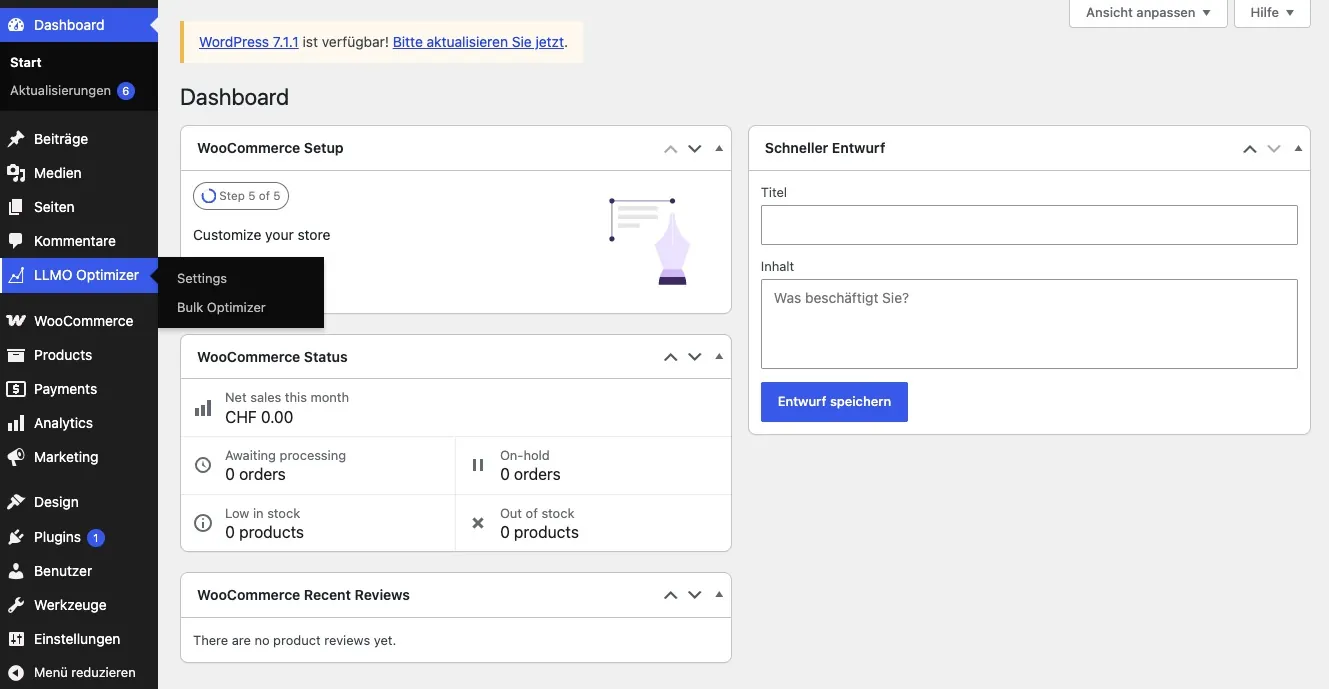
Activate the plugin in WordPress Admin. After that, the menu item LLMO Optimizer appears, with Settings and Bulk Optimizer underneath.
Step 3: Connect Libers Suite
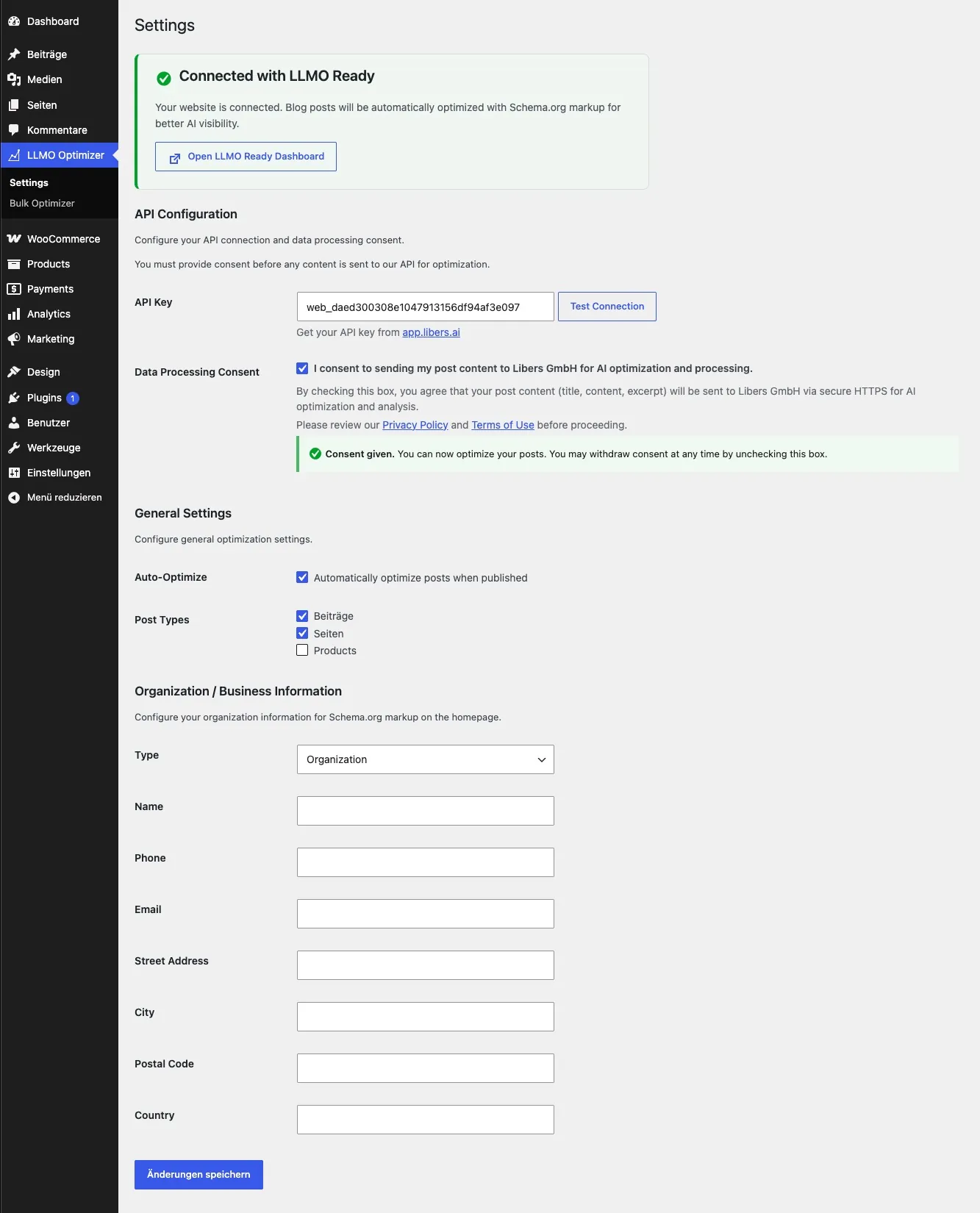
Open the plugin settings and connect your Libers Suite account. You sign in or register, then you return to the plugin automatically.
Step 4: Optimize posts
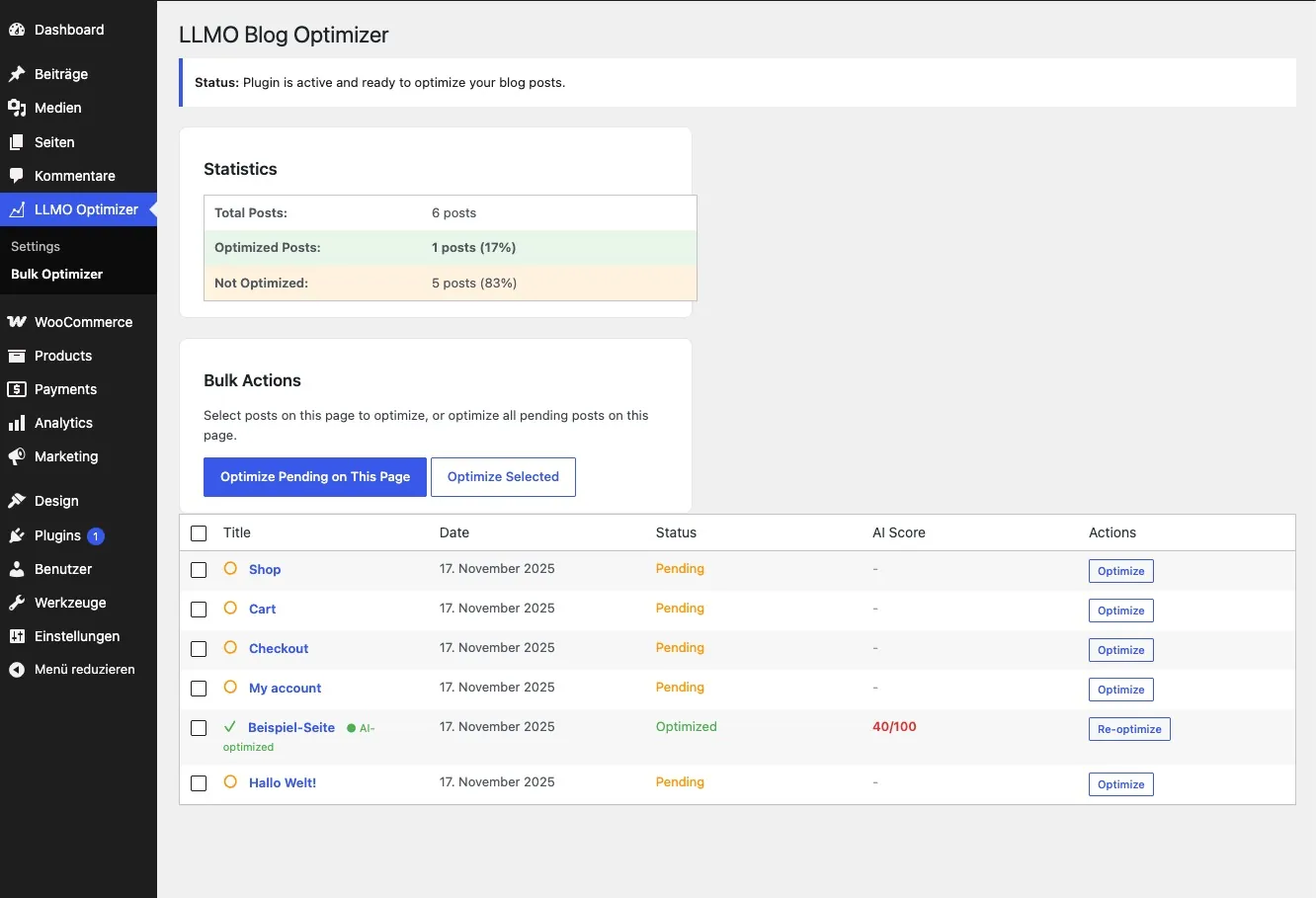
New posts are optimized automatically when you publish them. Existing posts can be processed with Bulk Optimizer.
- Automatic: when a post is published
- Existing posts: LLMO Optimizer → Bulk Optimizer
Step 5: Check the markup
Open a published post, view the page source, and look for Schema.org JSON-LD in the <head>.
Requirements
- WordPress 5.8+
- PHP 7.4+
- WooCommerce is not required
Frequently Asked Questions
Is this the same plugin as WooCommerce?
No. The Blog Optimizer is for posts and content. Product pages use the separate WooCommerce plugin.
Do I need to change my theme?
No. The plugin writes the markup into the page head itself.
Does this work without a store?
Yes. A regular WordPress site is enough.